Events
Run nodes when something happens in Blender, later, or at an interval.
Event nodes start a flow without anyone clicking a button: when a file is opened, when the frame changes, when the active object changes, when Blender quits. The timer nodes run part of a flow later or again and again. They're all under Add › Events.
For things people click, use an operator instead. For changes to your own add-on's properties, use On Property Update.
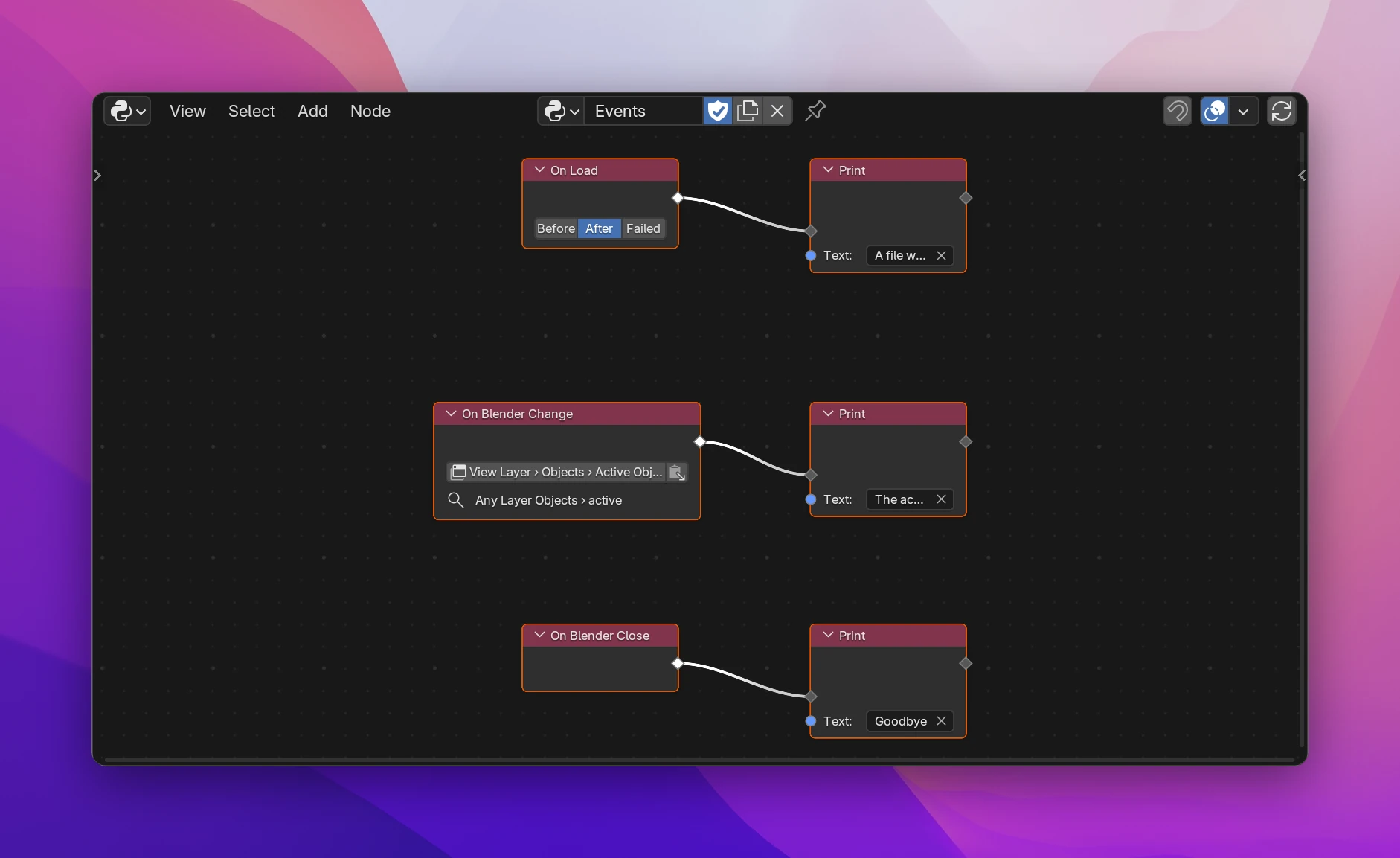
Nodes
| Node | Runs |
|---|---|
| On Load | Before or after a .blend file is opened, or when opening it failed |
| On Save | Before or after the file is saved, or when saving failed |
| On Undo | Before or after an undo step |
| On Redo | Before or after a redo step |
| On Frame Change | Before or after the current frame changes |
| On Playback | When animation playback starts or stops |
| On Depsgraph Update | Before or after Blender updates the scene's data (very often) |
| On Render Start | Before each rendered frame, or once when a render starts |
| On Render Finish | After each rendered frame, when the render completes or is cancelled, or after a frame was saved |
| On Bake | When a bake starts, completes or is cancelled |
| On Composite | Before or after the compositor runs, or when it's cancelled |
| On Append or Link | Before or after data is appended or linked from another file |
| On Blender Close | When Blender quits |
| On Blender Change | When a Blender property changes, e.g. the active object or the render engine |
| Run with Delay | Its Delayed flow once, after some seconds |
| Run in Intervals | Its Repeat flow every few seconds |
| Trigger | Its flow when you click its button, for testing while you build. Not part of the exported add-on |