Property updates
Run nodes when a property of your add-on changes.
On Property Update runs its flow whenever one of your add-on's properties changes: when someone edits its field, when a Set Property node sets it, when a script changes it. Use it to keep things in sync, e.g. set the scene's end frame whenever the add-on's Shot Length changes.
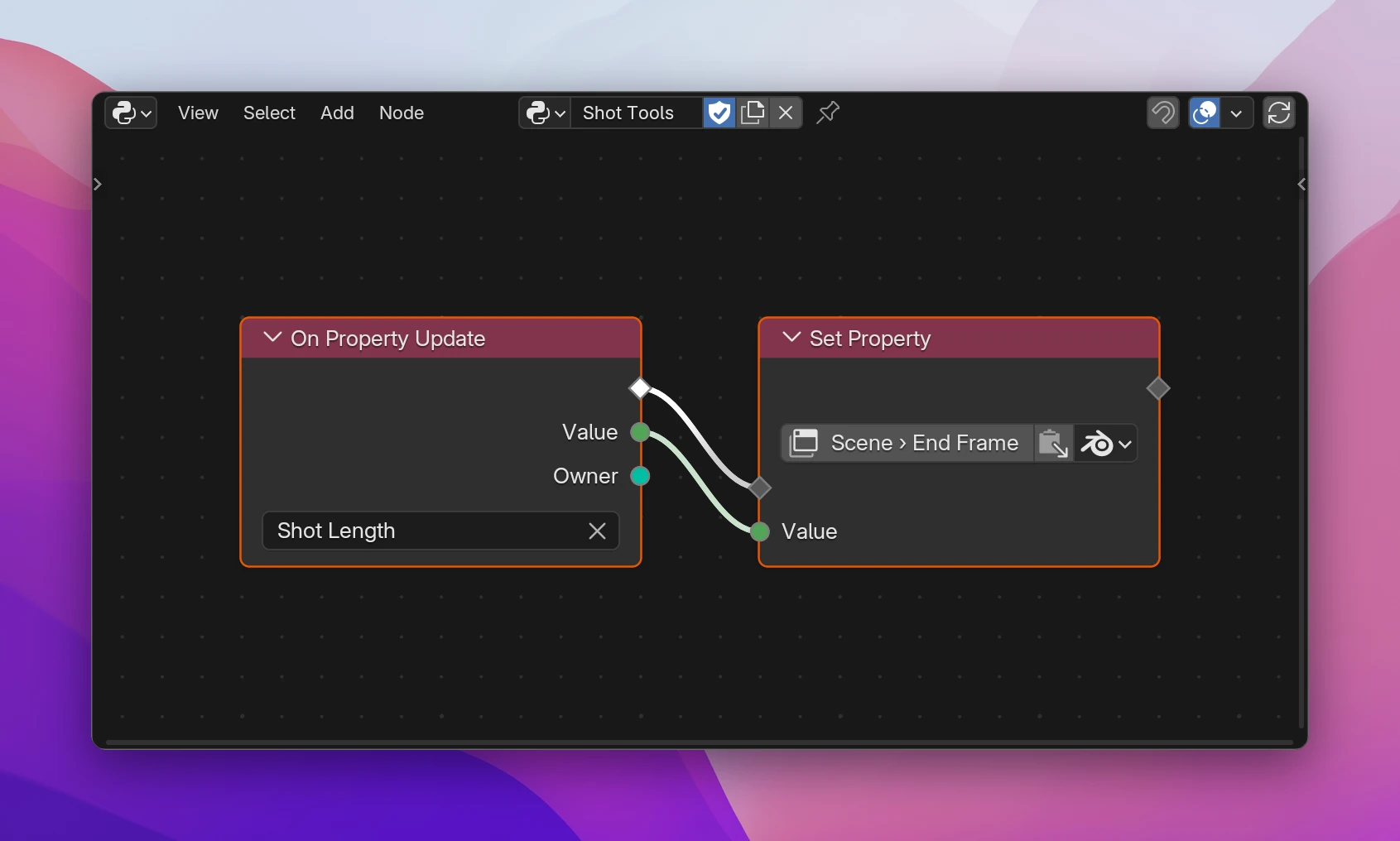
Using it
Add Add › Properties › On Property Update. It starts a flow of its own, like an operator's Execute.
Pick the property on the node. Add-on properties, group members and the properties of Operator and Preferences nodes can be picked; collections can't.
Connect what should happen after its flow output. Value and Owner are available in it.
| Output | |
|---|---|
| flow | Runs after every change |
| Value | The new value, typed like the property |
| Owner | The data the property changed on: the scene or object for add-on properties, the group item for group members, the operator for an operator's own properties |
Owner matters when a property is stored on many things. For a property attached to Object, it's the object whose value changed, which isn't always the active one: Alt-clicking a field changes all selected objects, and the update runs once for each.
Several On Property Update nodes can watch the same property. They all run, one after another.
Limitations
- Updates only run for your add-on's properties. To react to Blender's own settings changing, use On Blender Change in Events.
- Collections have no update: watch the properties of their items. Adding or removing items doesn't trigger anything.
- Setting the same property again inside its own update runs the update again. Set it only when the value is different, or you get a loop.
- The update runs on every change while dragging a slider. Keep it fast; heavy work belongs in an operator.
A function at module level, passed as update= to the property:
def on_shot_length_update(self, context):
context.scene.frame_end = self.shot_lengthshot_length: bpy.props.IntProperty(name='Shot Length', default=120, update=on_shot_length_update)For a property under the add-on's group, self is that group and Owner is self.id_data (the scene or object). With several nodes for one property, a small function calls each of them.