Custom properties
Read and write values stored on data by name, without defining a property.
Custom properties are values stored on Blender data under a name, without a definition: the entries of the Custom Properties panels in the Properties editor, or what scripts and other add-ons store with object["notes"] = "...". Get Custom Property reads one, Set Custom Property sets or removes one. Use them to tag data (mark the objects your add-on made) or to read values others stored.
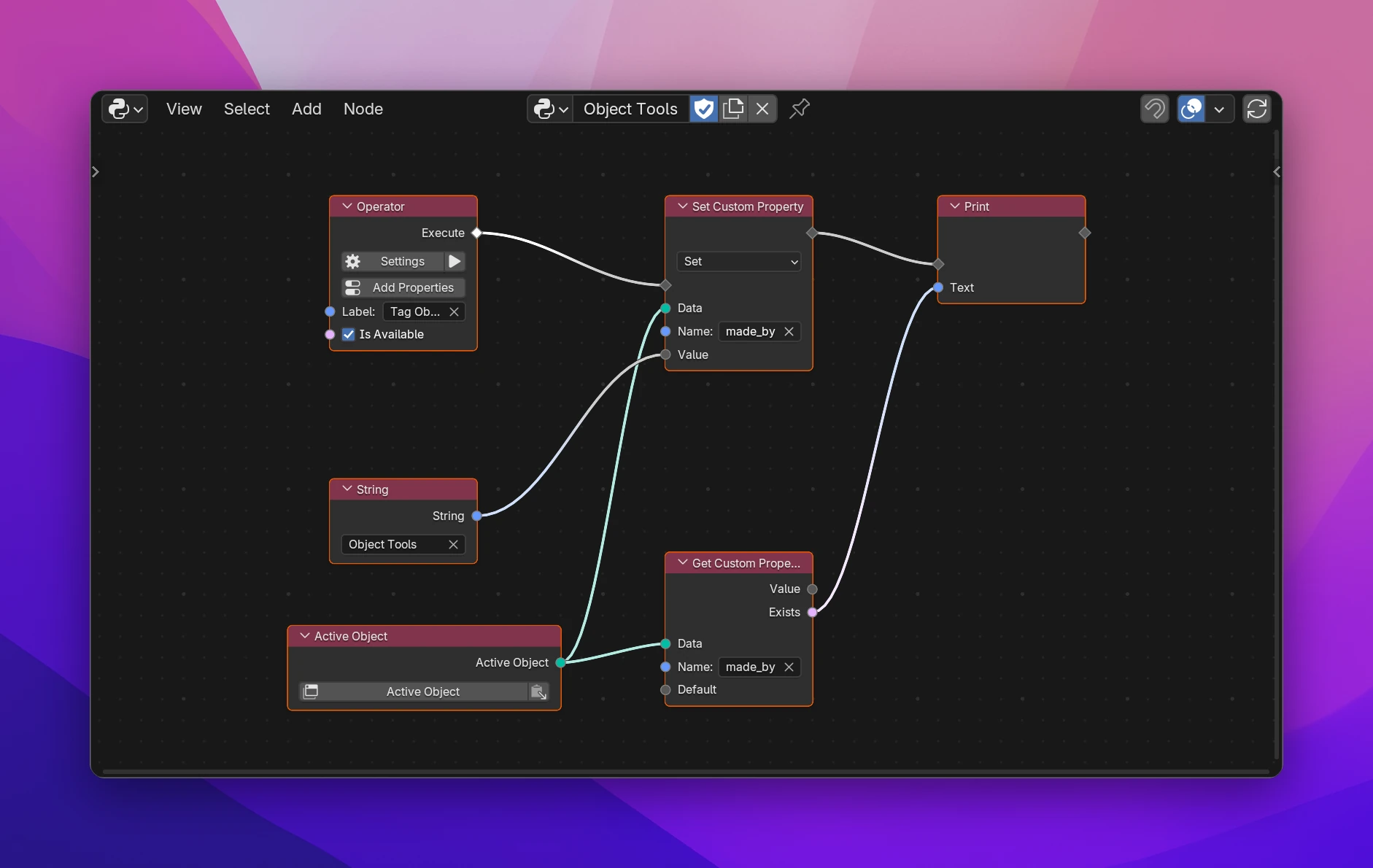
For your add-on's own settings, define properties instead: they have a type, limits, a tooltip and a field in panels. The two are separate since Blender 5.0, so object["count"] doesn't reach a defined property count.
Get Custom Property
| Socket | |
|---|---|
| Data (input) | The data to read from: an object, a material, a scene, ... (any data-block, and bones, pose bones and most other data with a Custom Properties panel) |
| Name (input) | The property's name |
| Default (input) | What Value is when the property doesn't exist. None unless connected |
| Value (output) | The stored value: a number, text, a list, ... (a Data socket; connect it where you need it) |
| Exists (output) | Whether the data has a custom property with that name |
Set Custom Property
Pick the operation on the node:
- Set writes Value under Name, and creates the property if it doesn't exist. Value has no field: connect a value node (String, Integer, ...) or another node's output.
- Remove deletes it. Nothing happens if it doesn't exist.
Inputs: flow, Data, Name, Value (Set only). Output: flow.
Limitations
- Values can be numbers, text, booleans, lists of those, dictionaries and data-blocks. Other Python objects can't be stored and fail when the add-on runs.
- A custom property set this way shows in the Custom Properties panel, where users can edit or delete it. Don't rely on it staying there.
def execute(self, context):
    context.active_object['made_by'] = 'Object Tools'
    print(str('made_by' in context.active_object))
return {"FINISHED"}| Node | Code |
|---|---|
| Get Custom Property: Value | data.get('made_by', None) |
| Get Custom Property: Exists | 'made_by' in data |
| Set Custom Property: Set | data['made_by'] = value |
| Set Custom Property: Remove | data.pop('made_by', None) |