Get and set properties
Read and change a property of your add-on, of an operator, or one of Blender's settings.
Get Property outputs the value of a property, Set Property changes it. Both work with your add-on's properties and, switched to Blender mode, with any of Blender's settings: the scene's current frame, an object's name, a modifier's width.
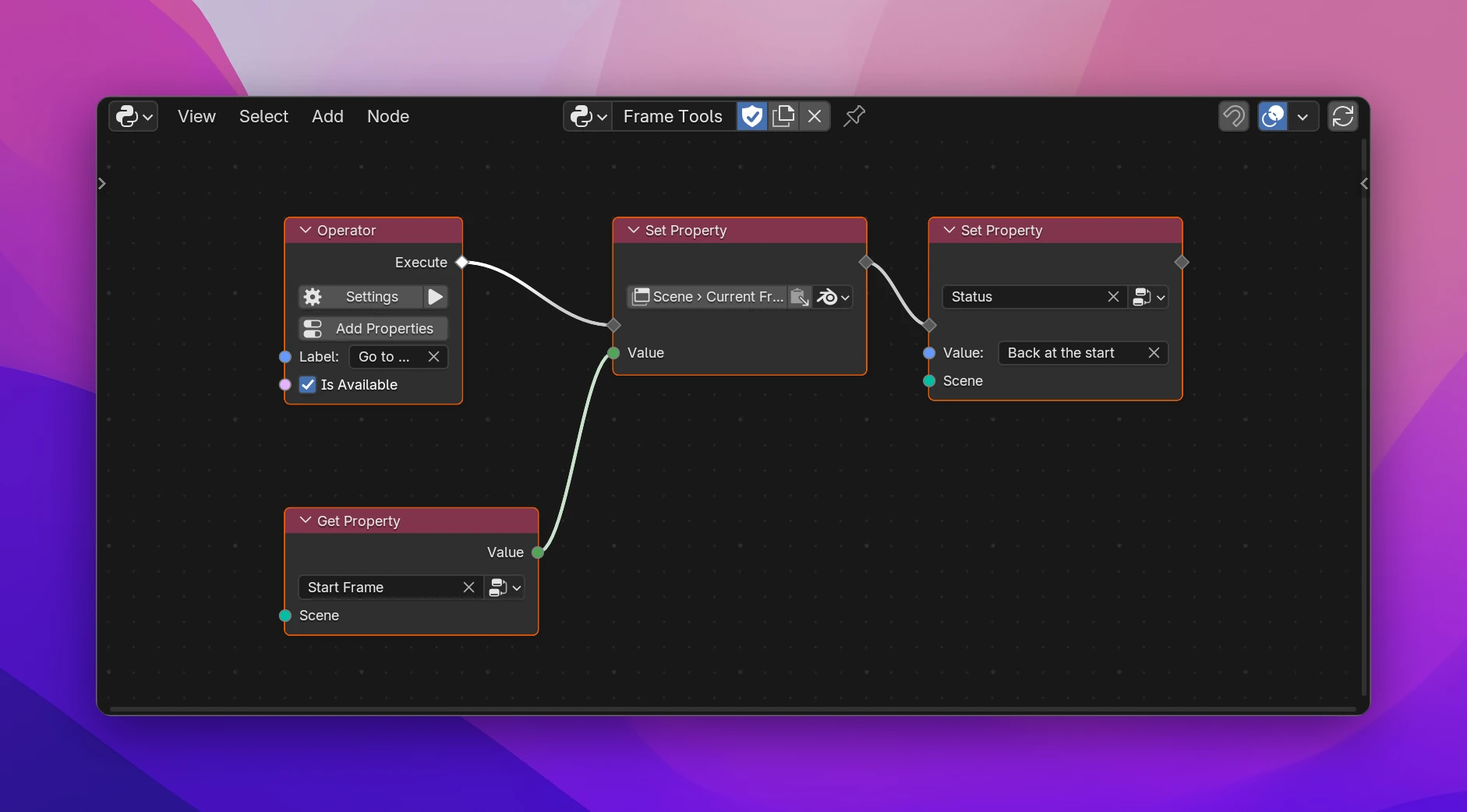
Using them
Add Add › Properties › Get Property or Set Property.
Pick the property in the field on the node. It lists your add-on's properties, the members of groups (Entry › Label) and the properties of Operator and Preferences nodes (Scatter Objects › Radius).
For Set Property, connect the flow and set the Value, or connect it. The value socket has the property's type.
Blender's properties
The button next to the property field switches the node between This Add-on and Blender. In Blender mode the node takes a data path that ends at a property: click the path button to browse, or paste a path copied from a field with Copy Data Path for Scripting Nodes. The value socket gets the property's type, e.g. Integer for Scene › Current Frame.
Everything before the last step is the data the property belongs to. A path that starts at Data Input sets the property on the connected data, e.g. the name of each object in a loop.
Sockets
| Socket | Node | |
|---|---|---|
| flow in / out | Set | Where the value is set |
| Value | Get: output, Set: input | The value, typed like the property: Boolean, Integer, Float, String (also for Enums), Vector, Color, Blender Data (Pointers, Collections) |
| Data input | both | The data that holds the property, labeled with its type (Scene, Object, the group's name) |
one input per [] | both, Blender mode | The list items along the path |
The Data input can stay unconnected when there's a current one: the scene for Scene properties, the active object for Object properties, the operator itself inside its own flows. It's needed for group members (connect the item, e.g. New Item of Collection Add or a UI List's Item) and for properties attached to data without a current one (a Mesh, an Image). An operator's own properties have no Data input; they work only inside that operator.
A Collection property's Value is the list itself: connect it to the collection nodes. Setting a Collection with Set Property doesn't work; add and remove items instead. An Enum with Multiple on has a set of identifiers as its value ({'FAST', 'PRECISE'}).
Errors
| Message | Fix |
|---|---|
| Pick a property | Pick one in the field |
| The property it used was deleted | The field turns red: pick another one |
| Connect the Mesh it belongs to | The property is attached to data without a current one: connect it |
| Only inside 'Scatter Objects': it's that operator's property | Use it in that operator's flows, or make it an add-on property |
| Search or paste a property | Blender mode without a path |
| The path has to end at a property | The path ends at a list item ([]): continue it to a property |
# Get Property (Start Frame, Scene, Under Add-on)
context.scene.frame_tools.start_frame

# Set Property (Blender: Scene › Current Frame)
context.scene.frame_current = context.scene.frame_tools.start_frame

# Set Property (group member Entry › Weight, Data from Collection Add)
item = context.scene.my_addon.entries.add()
item.weight = 1.0

# Get Property (an operator's own property, inside it)
self.radius