Drawing
Draw lines, shapes, text and images into Blender's editors.
The drawing nodes put your own graphics into an editor: an outline around the active object, a label next to it, a ruler, a heads-up display in the corner of the 3D Viewport. A Viewport Draw node runs its flow every time the editor redraws, and the Draw nodes in that flow do the drawing. They're in Add › Drawing.
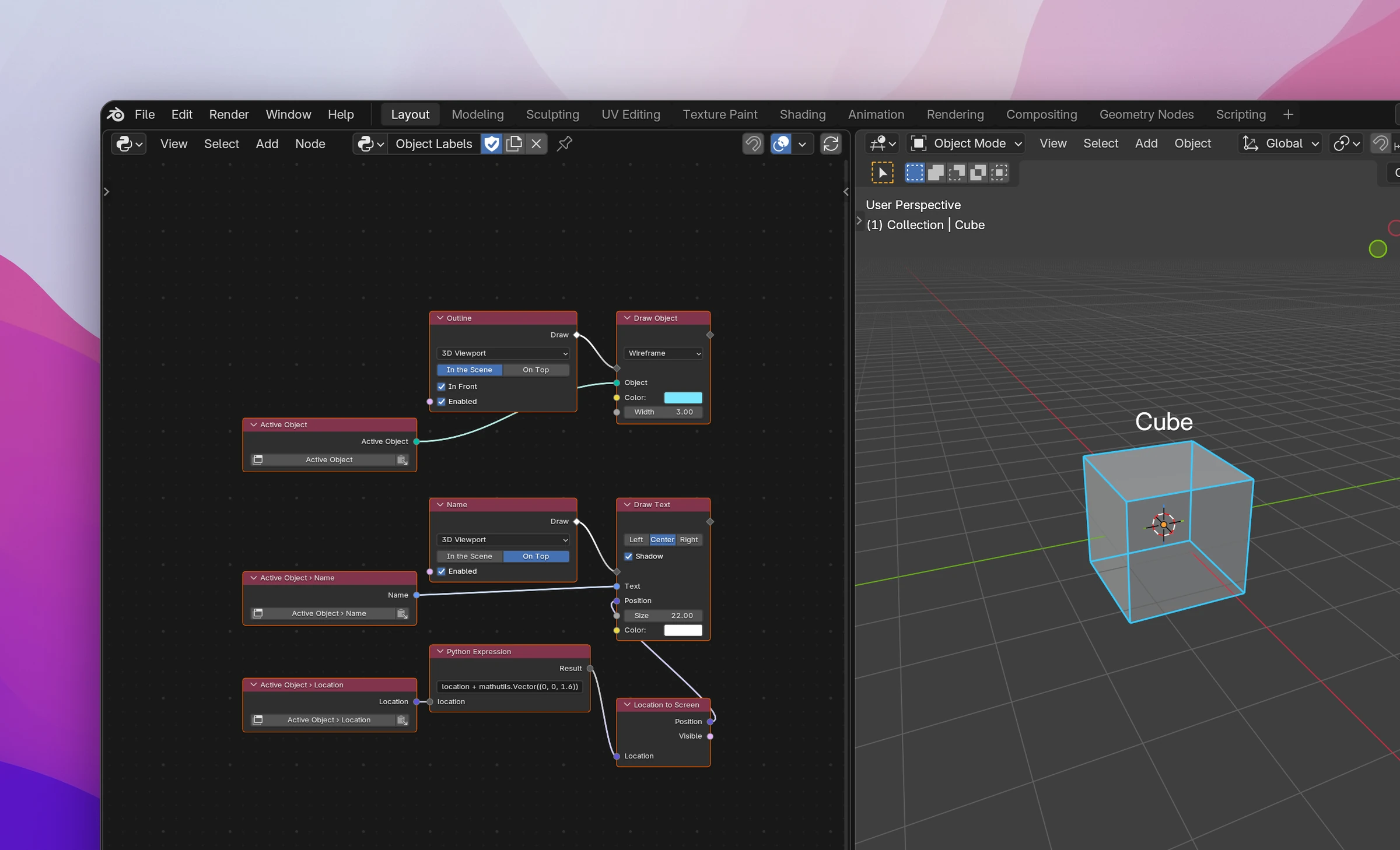
| Node | |
|---|---|
| Viewport Draw | Runs its Draw flow every time an editor redraws, in the scene or on top of it |
| Draw Lines | Lines through a list of points: connected, closed or in pairs |
| Draw Points | A dot at each point of a list |
| Draw Polygon | A filled shape with a list of points as its outline |
| Draw Rectangle | A filled or outlined rectangle in pixels |
| Draw Circle | A filled or outlined circle, in pixels or in the scene |
| Draw Text | Text in pixels, left, centered or right aligned |
| Draw Image | An image of the blend file in pixels |
| Draw Object | An object's mesh as wireframe, faces or points, where it is in the scene |
| Location to Screen | The pixel position of a 3D location in the 3D Viewport |
| Screen to Location | The 3D location under a pixel position, and the ray through it |