Blender functions
Call Blender's functions on data to add modifiers, create objects, link and select them.
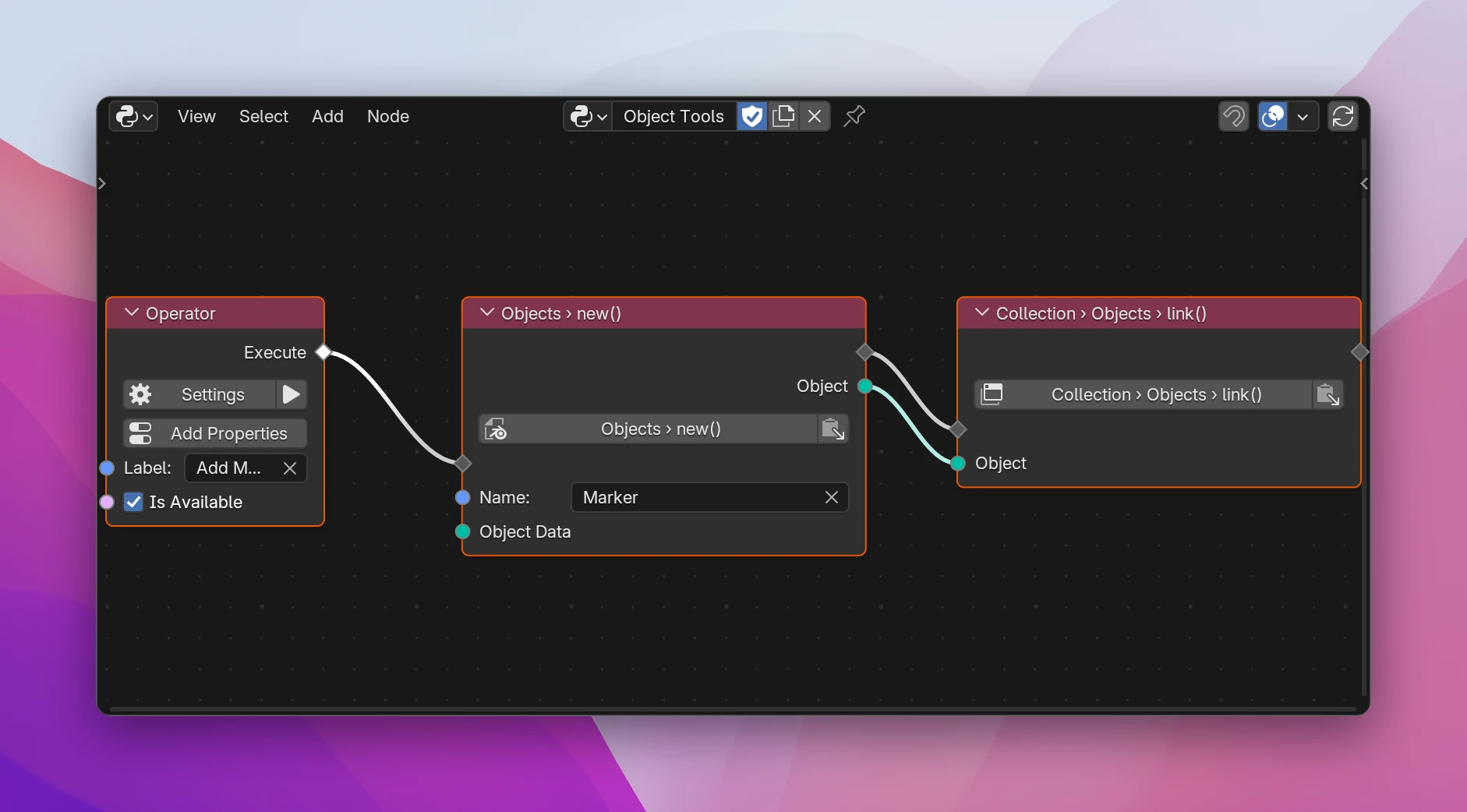
Some things aren't values you set but functions you call on data: adding a modifier, creating an object, linking it to a collection, selecting it. Blender Function calls one. Its inputs are the function's parameters, its outputs what the function returns, so you can work with a new modifier or object right after creating it.
Using it
Add Add › Blender Data › Blender Function, or one of the set-up entries: Add Modifier (active_object.modifiers.new()), New Object (bpy.data.objects.new()), Link Object (context.collection.objects.link()), Select Object (active_object.select_set()).
Click the path button (Pick a Function). In the browser, go to the data the function belongs to; its functions are listed with () after their name, e.g. Active Object › Modifiers › new(). Pick one and Use Path.
Connect the flow: the node runs where the flow reaches it, like an operator step. Fill in the inputs and use the outputs after it.
Functions belong to a kind of data. Lists have their own: objects.new(), objects.remove(), modifiers.new(), vertex_groups.new(), materials.append(). Data has others: an object's select_set(), hide_set(), evaluated_get(), a mesh's update(). The browser only lists the functions of the data you're at.
Sockets
| Socket | |
|---|---|
| flow in / out | Where the call runs, and what runs after it |
| Data | The data the path starts at, when it starts at Data Input |
one input per [] | The items picked along the path, as on Blender Data |
| one input per parameter | Named and typed like the parameter: Name (String), Type (an enum's identifier as String, e.g. BEVEL), Object (Blender Data), ... Defaults are Blender's |
| one output per result | What the function returns, with its real type: modifiers.new() gives the new Modifier, objects.new() the new Object |
How parameters are passed:
- Required parameters are always passed.
- Optional ones are only written to the code when you connect them or change their value from Blender's default.
- Data parameters (an object, a mesh) have no field. A required one that can't be None must be connected, or the node says Connect the object; one that can be None is passed as None when unconnected (Object Data of
objects.new(): None makes an empty).
Errors
- Pick a function: no function is set.
- Modifiers has no function new(): the path changed and the data no longer has the picked function. Pick it again.
Limitations
- The outputs have the type Blender declares.
modifiers.new()returns a Modifier, not a Bevel Modifier, so a Set Property on it only offers the properties every modifier has. Set the type-specific ones with a path that starts from the object's modifier by name, or with a Python node. - Functions that only exist as operators (most of the Add menu, applying modifiers) aren't here: use Run Operator.
A call, with the results assigned to variables the outputs use:
def execute(self, context):
    object_2 = bpy.data.objects.new(name='Marker', object_data=None)
    context.collection.objects.link(object=object_2)
    modifier = context.active_object.modifiers.new(name='Bevel', type='BEVEL')
    return {"FINISHED"}