Print and Temp Override
Print messages while you develop, and run nodes in a different context.
Print writes a message so you can see what your add-on is doing. Temp Override runs nodes as if Blender were in a different place: another editor, another active object, another selection. Operators that complain about the wrong context ("context is incorrect") usually need it.
Print (Add › Flow › Print) writes its Text when the flow reaches it, then continues at its output.
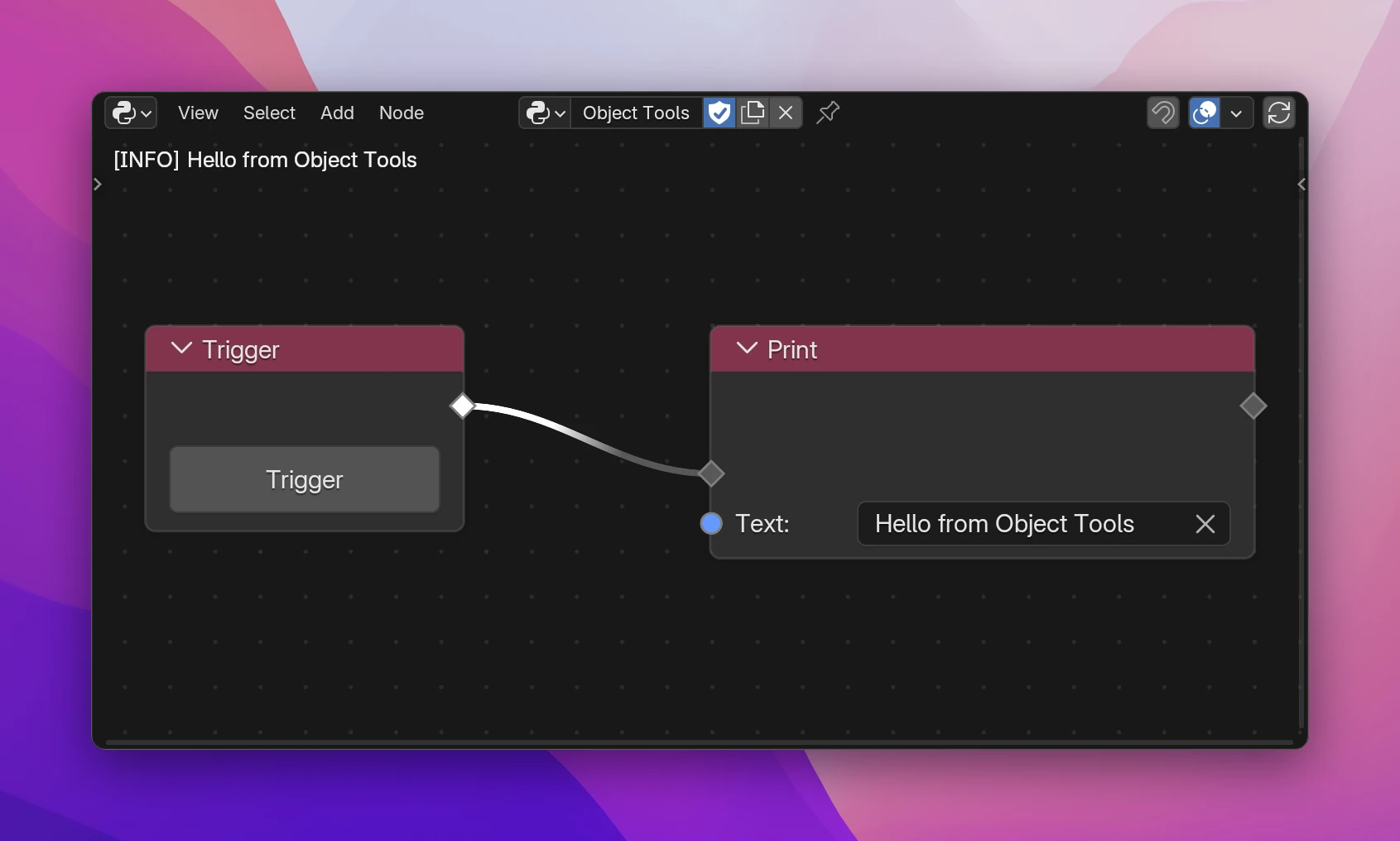
- While you develop, the message shows at the top left of the node editor, as
[INFO] Hello from Object Tools, and in Blender's system console. It fades out after 10 seconds. The same message printed several times in a row shows once, with a count:(x3). - In the exported add-on, Print is Python's
print(): the message only goes to the system console (Window › Toggle System Console on Windows, the terminal Blender was started from on macOS and Linux).
Text takes any value. Numbers, objects and lists are turned into text, so you can connect them directly, like the Value of a variable or a loop's Index.
The overlay can be turned off in the node editor's sidebar, Scripting Nodes › Settings › Development › Log Overlay, next to Overlay Font Size.
Errors in your add-on show in the same overlay, in red, and on the node that caused them.
Temp Override
Many of Blender's operators only work in a certain editor. View All needs a 3D viewport, for example. Run from a button in a panel of the 3D viewport, it works. Run from a timer, a shortcut in another editor or a menu elsewhere, it fails, because the current area isn't a 3D viewport.
Temp Override fixes that: the nodes on During run with the area, region, window or objects you connect. After runs once During is done, in the normal context again.
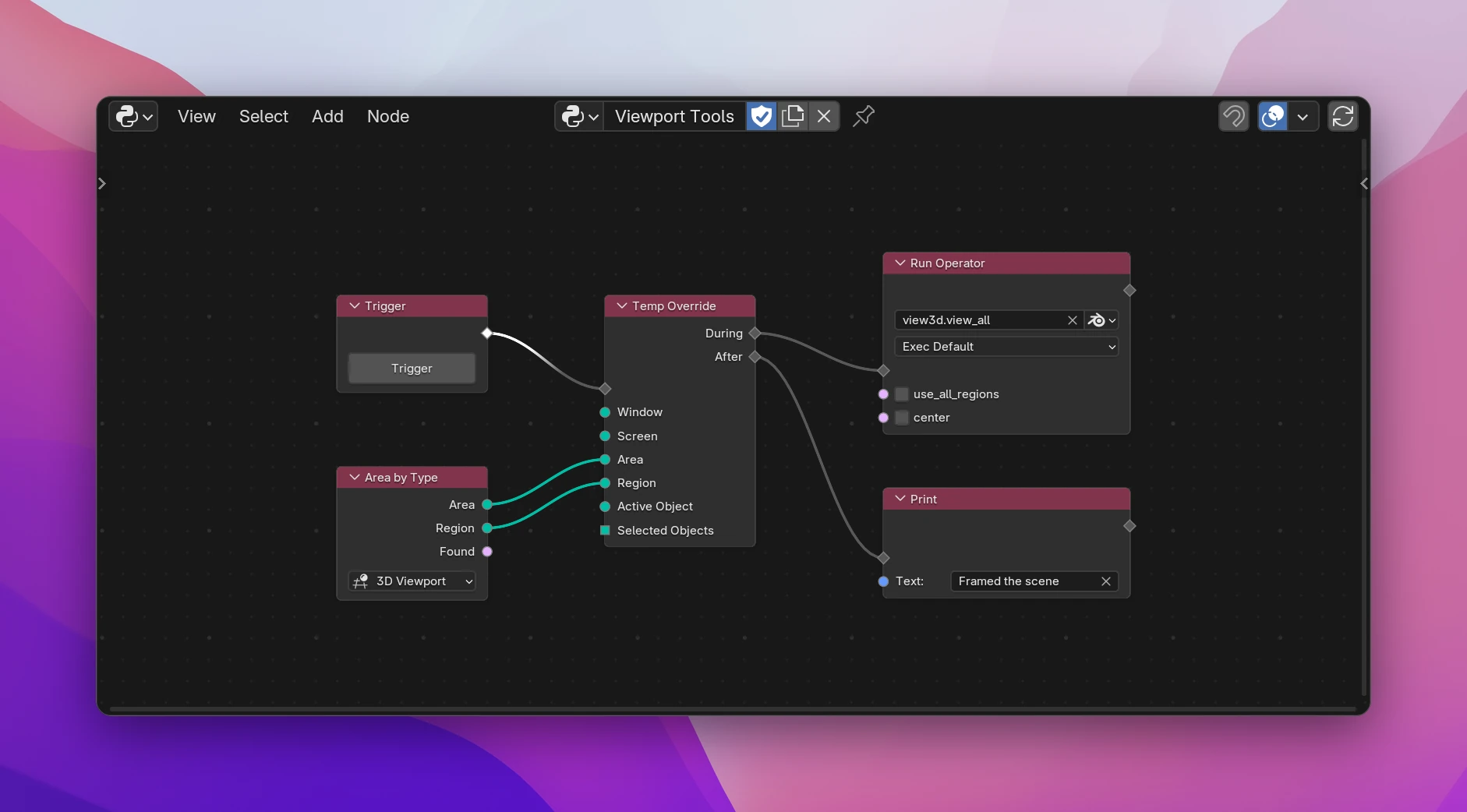
Add Temp Override where the operator would run, and move the Run Operator to its During output.
Add Area by Type (in Blender Data), pick the editor the operator needs, and connect its Area and Region to the same inputs of Temp Override.
Link what should happen afterwards to After.
| Input | Type | Overrides |
|---|---|---|
| Window | Window | The window |
| Screen | Screen | The screen layout of the window |
| Area | Area | The editor (3D Viewport, Image Editor, ...) |
| Region | Region | The part of the editor: its main region (WINDOW), header, sidebar |
| Active Object | Object | context.active_object |
| Selected Objects | Collection of objects | context.selected_objects |
Only connected inputs are overridden. The rest stays as it is.
Area by Type returns None when no editor of that type is open in the window. Check its Found output with an If/Else first if that can happen. When you override Area, override Region too: most viewport operators need both to match.
Temp Override is Blender's bpy.context.temp_override(), with one keyword per connected input:
with bpy.context.temp_override(area=area, region=region):
    bpy.ops.view3d.view_all()
print("Framed the scene")
While you develop, Print calls a helper that prints and also sends the message to the overlay (utils.log(...)). The export uses plain print(...).